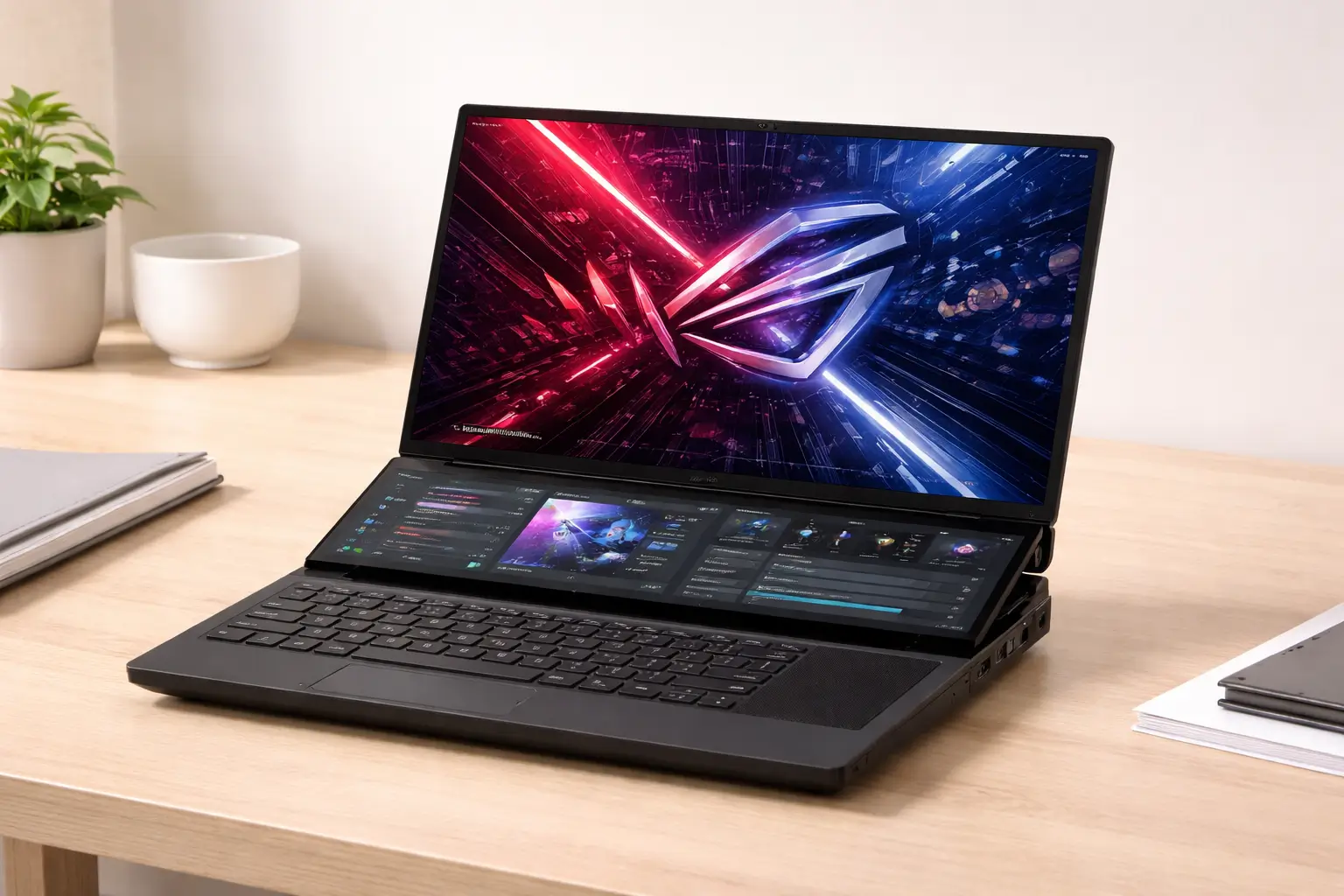
Asus ROG Zephyrus Duo 16 is built for users who want flagship-level performance paired with a genuinely functional dual-screen design. This article addresses that intent directly by covering hardware, design choices, and real-world usage without marketing framing or unnecessary background.
What the Asus ROG Zephyrus Duo 16 Offers at a Glance
The Zephyrus Duo 16 sits at the top of Asus’s gaming and creator lineup. It combines high-end CPUs and GPUs with a secondary touchscreen designed to extend productivity, streaming control, and multitasking.
At its core, this laptop is about:
- Maximum performance in a portable form factor
- Dual-display workflows for gaming, creation, and work
- Thermal design that supports sustained loads
Key Specifications Overview
Core Hardware Configuration
The Asus ROG Zephyrus Duo 16 is offered in multiple configurations, but its defining hardware tier remains consistent across regions.
Typical specifications include:
- Processor: AMD Ryzen 9 series (HX-class)
- Graphics: NVIDIA GeForce RTX 40-series Laptop GPU
- Memory: Up to 32GB DDR5
- Storage: PCIe Gen 4 NVMe SSD (up to 2TB)
This combination places the device firmly in desktop-replacement territory, capable of handling modern AAA gaming, 3D workloads, and professional creative software.
Display Hardware
The laptop features two displays:
- Primary display: 16-inch Mini-LED or IPS panel
- Resolution: Up to QHD+ (2560×1600)
- Refresh rate: Up to 240Hz
- Secondary display: ScreenPad Plus, full-width touchscreen
The main display prioritizes motion clarity and brightness, while the secondary screen focuses on utility rather than visual spectacle.
Dual-Screen Design Explained
ScreenPad Plus Placement and Mechanics
The secondary display sits above the keyboard and automatically lifts at an angle when the lid opens. This raised position improves visibility and airflow.
Key design implications:
- Better viewing angle than flat secondary panels
- Improved cooling due to raised chassis airflow
- Clear separation between primary and secondary tasks
The hinge mechanism is rigid and stable, showing minimal flex during use.
Practical Uses of the Second Screen
In daily use, the ScreenPad Plus proves most useful for:
- Timeline controls in video editing software
- Tool palettes in photo and design applications
- Chat windows while gaming or streaming
- System monitoring, music controls, or shortcuts
While not essential for every task, it consistently reduces window switching and improves workflow efficiency once configured.
Build Quality and Physical Design
Materials and Finish
The chassis uses a mix of aluminum and reinforced plastic to balance durability with weight. The finish is understated for a gaming laptop, with minimal branding and clean surfaces.
Build highlights:
- Solid deck with minimal flex
- Tight hinge tolerances
- Durable matte coating resistant to fingerprints
Despite its complexity, the device feels structurally sound and travel-ready.
Port Selection and Layout
Ports are distributed along the sides and rear to reduce cable clutter.
Common port options include:
- USB-C with DisplayPort support
- Multiple USB-A ports
- HDMI
- Ethernet
- Headphone jack
This layout suits desk setups and external display usage, particularly for creators.
Keyboard, Touchpad, and Input Experience
Keyboard Layout
The keyboard is positioned lower than traditional laptops to make room for the secondary display. This design choice affects ergonomics.
Daily typing experience:
- Shallow but responsive key travel
- Consistent backlighting
- Full-size layout without numpad
For extended typing sessions, a wrist rest or external keyboard improves comfort.
Touchpad Placement
The touchpad is located on the right side of the keyboard deck.
Implications:
- Natural for right-handed users
- Steeper learning curve for left-handed users
- Doubles as a numeric keypad when needed
This layout prioritizes space efficiency over familiarity.
Performance in Real-World Use
Gaming Performance
The Asus ROG Zephyrus Duo 16 handles modern games comfortably at high settings, particularly at QHD resolution.
In daily gaming:
- Stable frame rates in demanding titles
- High refresh display enhances responsiveness
- Secondary screen useful for chat, maps, or streams
Thermal headroom allows sustained performance without aggressive throttling.
Creative and Professional Workloads
For creators, the dual-screen setup offers tangible benefits:
- Faster editing workflows
- Reduced screen clutter
- Improved multitasking
Applications like video editors, 3D suites, and DAWs benefit most from the additional screen real estate.
Thermals and Noise Management
Cooling Design
The laptop uses a multi-fan cooling system with advanced heat pipes and liquid metal thermal compound on the CPU.
Cooling behavior:
- Efficient heat dissipation under sustained load
- Chassis remains manageable in key contact areas
- Fans ramp up audibly during heavy tasks
The raised ScreenPad Plus plays a functional role in improving airflow rather than serving as a cosmetic feature.
Battery Life and Mobility
Battery Performance
Battery life is respectable given the hardware but not a core strength.
Typical usage patterns:
- Light productivity: several hours
- Heavy workloads or gaming: significantly reduced
The laptop is best treated as a semi-portable workstation rather than an all-day unplugged device.
Charging and Power Adapter
The power adapter is large, reflecting the system’s power requirements. USB-C charging may support limited use cases but is not intended for full-performance operation.
Software Experience
Preinstalled Utilities
Asus includes system control software that manages:
- Performance profiles
- Fan behavior
- ScreenPad Plus shortcuts
Once configured, the software enhances usability rather than interfering with it.
Learning Curve
The dual-screen setup requires adjustment. Users who invest time in customizing layouts benefit most, while those who ignore the second screen may underutilize the device’s main advantage.
Daily Use: Strengths and Limitations
Where the Zephyrus Duo 16 Excels
- Multitasking efficiency
- High-refresh gaming experience
- Creator-focused workflows
- Thermal stability under load
Practical Limitations
- Non-traditional keyboard ergonomics
- Premium pricing
- Bulkier than standard gaming laptops
These trade-offs are inherent to the dual-screen design rather than execution flaws.
Who the Asus ROG Zephyrus Duo 16 Is For
This laptop is best suited for:
- Power users who multitask heavily
- Content creators and streamers
- Gamers who value secondary screen utility
It is less ideal for users prioritizing portability or traditional laptop ergonomics.