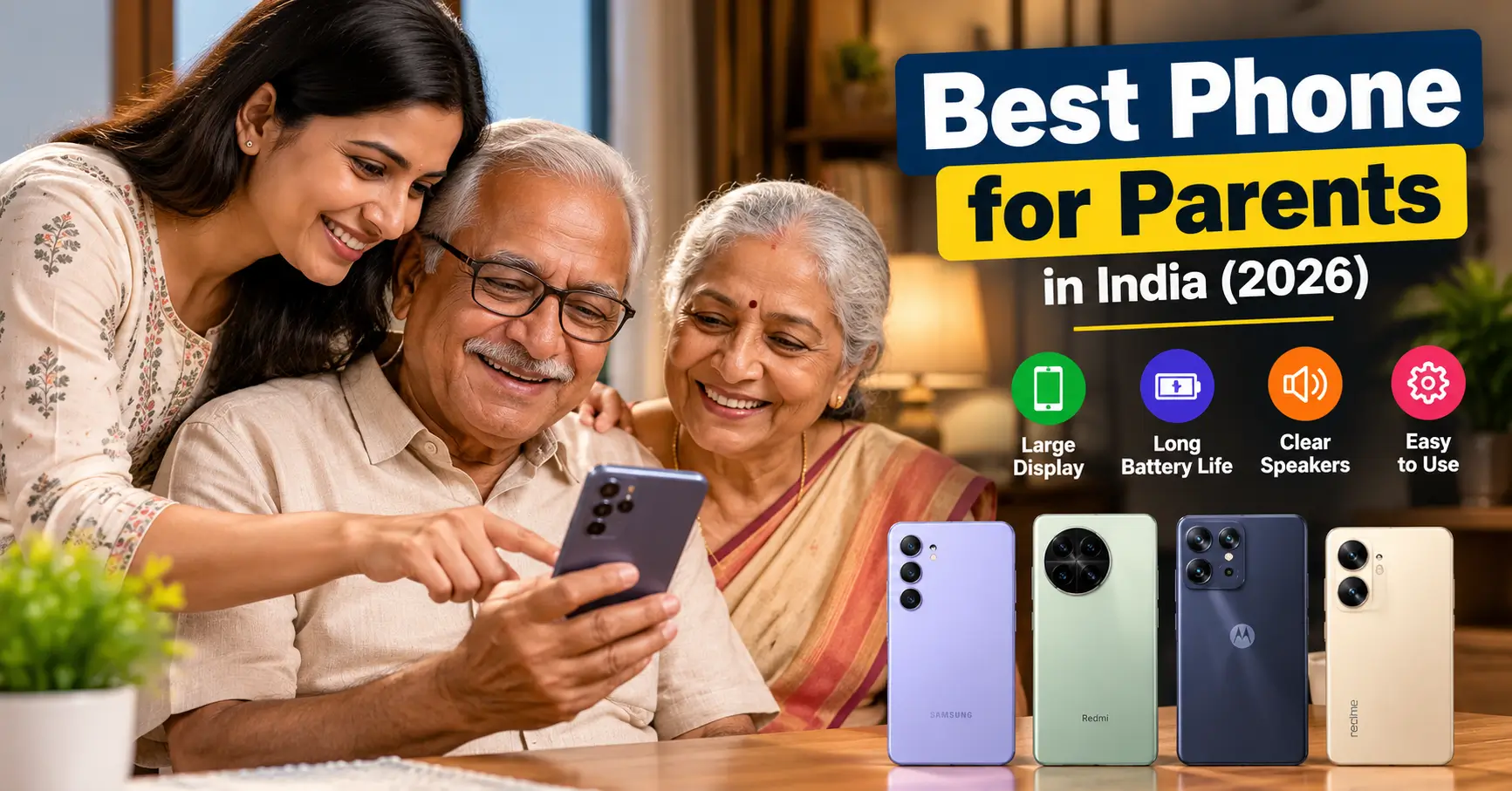
Buying a smartphone for your parents is different from buying one for yourself. While many smartphone buyers focus on processor speed, gaming performance and camera specifications, parents may care more about whether they can read messages comfortably, hear incoming calls, make video calls without difficulty and use WhatsApp without getting confused by complicated settings.
The best phone for parents in India should offer a readable display, reliable battery life, clear speakers, a familiar interface and dependable software support. Features such as larger text, screen magnification and voice assistance can also make everyday smartphone use more comfortable.
There is no single smartphone that will suit every parent. Someone who is comfortable with technology may enjoy a feature-rich device, while someone using a smartphone for the first time may prefer a simpler interface.
This guide explores different smartphones across budgets, explains which features matter and provides a practical checklist for choosing a phone your parents can comfortably use.
Best Phones for Parents in India: Quick Comparison
Here are some smartphones worth considering based on their hardware, display, battery and everyday usability.
| Smartphone | Approximate observed price | What makes it relevant |
|---|---|---|
| Samsung Galaxy M17 5G | ₹12,499 launch price for 4GB/128GB | Super AMOLED display and long update commitment |
| Redmi A7 Pro 5G | Around ₹14,999 listing | Large 6.9-inch display and 6,300mAh battery |
| Motorola Moto G86 Power 5G | Around ₹17,835 listing | Large battery and stereo speakers |
| realme P4 5G | Around ₹18,499 listing | 7,000mAh battery and AMOLED display |
| Samsung Galaxy F17 5G | Around ₹16,019 listing | AMOLED display and extended software support |
Price transparency: These are observed listing or launch-price references, not guaranteed current selling prices. Prices, variants, offers and availability can change. Verify the exact configuration and seller before ordering.
1. Samsung Galaxy M17 5G: A Practical Option for Everyday Use
The Samsung Galaxy M17 5G is worth considering for parents who prefer a familiar smartphone interface and want a readable display.
It features a 6.7-inch Full HD+ Super AMOLED display, a 5,000mAh battery and a 50MP main camera with optical image stabilisation.
One of its important advantages is Samsung’s software support commitment.
Samsung announced six generations of Android OS upgrades and six years of security updates for this model.
Key specifications
- Display: 6.7-inch Full HD+ Super AMOLED
- Processor: Exynos 1330
- Battery: 5,000mAh
- Main camera: 50MP with OIS
- Charging: 25W
- Software at launch: Android 15 with One UI 7
- Update commitment: Six generations of OS upgrades and six years of security updates
Why consider it for parents?
The Super AMOLED display provides good contrast and a Full HD+ resolution that helps with text and image clarity.
Samsung’s Easy Mode is another useful feature to investigate when configuring a Galaxy smartphone for someone who prefers a simplified home screen.
Potential limitation: Its 5,000mAh battery and 25W charging are not particularly exceptional compared with some battery-focused competitors.
2. Redmi A7 Pro 5G: For Parents Who Prefer a Large Display
Some parents prefer a large screen because it gives them more room to read messages, view photographs and watch videos.
The Redmi A7 Pro 5G offers a 6.9-inch display and a 6,300mAh battery.
Its 200% volume-boosted speaker feature is another specification worth considering for people who prefer louder audio.
Key specifications
- Display: 6.9-inch HD+ display
- Refresh rate: Up to 120Hz
- Battery: 6,300mAh
- Charging: 15W
- Rear camera: 32MP
- Front camera: 8MP
- Operating system: Android 16 with HyperOS 3
- Software commitment: Four Android updates and six years of security patches
- Audio: Speaker with 200% volume boost
Why consider it for parents?
The large display is useful for reading messages, browsing and watching videos. The battery capacity can also reduce how frequently the phone needs charging.
Its dedicated microSD card support provides additional storage flexibility.
Potential limitation: The phone weighs approximately 210g, so it may feel heavy for parents who prefer lightweight devices. Its HD+ resolution is also less sharp than Full HD+ alternatives.
3. Motorola Moto G86 Power 5G: For Battery and Everyday Multimedia
Motorola’s G-series phones are worth examining if your parents prefer a relatively straightforward Android experience.
The Moto G86 Power 5G is designed around battery capacity, display quality and everyday performance.
It offers a 6,720mAh battery, a 6.67-inch display and stereo speakers.
Key specifications
- Display: 6.67-inch pOLED
- Resolution: 1.5K
- Processor: MediaTek Dimensity 7400
- Battery: 6,720mAh
- Charging: 33W
- Storage: Configuration-dependent
- Audio: Stereo speakers with Dolby Atmos
- Protection: IP68/IP69 rating
Why consider it for parents?
The large battery is useful for people who frequently make calls, watch videos or spend time on video conversations.
Stereo speakers can also improve the multimedia experience.
The display resolution is another advantage for reading and viewing content.
Potential limitation: The phone’s relatively large battery and screen do not necessarily make it comfortable for every user. Check its weight and dimensions before purchasing.
4. realme P4 5G: For Parents Who Want a Large Battery
The realme P4 5G offers a combination of a large battery, AMOLED display and fast charging.
It comes with a 7,000mAh battery and 80W charging support.
Key specifications
- Display: 6.77-inch HyperGlow AMOLED
- Refresh rate: 144Hz
- Processor: MediaTek Dimensity 7400 Ultra
- Battery: 7,000mAh
- Charging: 80W
- Main camera: 50MP
- Software at launch: Android 15
Why consider it for parents?
Its battery capacity is a useful feature for parents who dislike frequent charging.
The AMOLED display offers good contrast, while fast charging can reduce waiting time when the battery is low.
Potential limitation: A 144Hz refresh rate and gaming-focused processing features may not provide much additional value to someone who mainly uses calls, WhatsApp and YouTube.
Do not pay extra for gaming specifications unless the intended user actually needs them.
5. Samsung Galaxy F17 5G: For Long-Term Software Support
The Samsung Galaxy F17 5G is another model worth comparing with the Galaxy M17.
It features a 6.7-inch-class Super AMOLED display, a 5,000mAh battery and a 50MP main camera with optical image stabilisation.
Samsung also advertises six generations of OS upgrades and six years of security updates.
Why consider it for parents?
Long-term security support is useful when a smartphone is expected to remain in use for several years.
Its AMOLED display and familiar Samsung software experience can also suit parents who are already accustomed to Galaxy phones.
Potential limitation: Compare the actual selling price with the Galaxy M17 and other Samsung models before buying. Closely related models may offer overlapping features.
Which Phone Should You Choose Based on Your Parents’ Needs?
Rather than choosing a smartphone purely by brand, start with the problem you want the phone to solve.
| Your parent’s requirement | Models to investigate |
|---|---|
| Familiar Samsung interface | Galaxy M17 5G or F17 5G |
| Large display | Redmi A7 Pro 5G |
| Large battery | Motorola G86 Power 5G or realme P4 5G |
| Long-term software support | Samsung Galaxy M17, F17 or Redmi A7 Pro 5G |
| Loudspeaker-oriented use | Redmi A7 Pro 5G |
| Video watching and multimedia | Motorola G86 Power 5G or realme P4 5G |
These are feature-based matches, not independently tested overall rankings. Try the actual phones before deciding, especially if your parent has difficulty handling larger devices.
What Features Should You Look for in a Phone for Parents?
1. A readable display
A large display can make reading easier, but size alone is not enough.
Consider:
- Full HD+ resolution where possible.
- Good outdoor brightness.
- Adjustable font size.
- Display scaling.
- Bold text options.
- Suitable screen contrast.
A 6.5-inch or larger display can be a useful starting point, but parents with smaller hands may find a more compact phone easier to operate.
2. Clear and sufficiently loud speakers
Call quality is especially important for people who frequently communicate with family members.
Look for:
- Clear voice reproduction.
- Good earpiece volume.
- Reliable microphones.
- Speakerphone quality.
- Compatibility with Bluetooth hearing devices where needed.
Do not assume that a phone with stereo speakers will automatically have the best call quality.
3. A dependable battery
A battery of around 5,000mAh or higher is a reasonable starting point for many users.
However, actual battery life also depends on display brightness, network signal, background apps, processor efficiency and usage.
A large battery is useful, but charging speed, charger availability and battery health over time matter too.
4. Simple software
A confusing interface can make even an expensive smartphone frustrating.
Look for a phone that offers:
- Simple home-screen organisation.
- Large app icons.
- Adjustable font sizes.
- Easy access to phone settings.
- Reliable notifications.
- Minimal unwanted pre-installed apps.
Samsung’s Easy Mode is one example of a simplified smartphone interface.
5. Long-term security updates
Smartphones are increasingly used for banking, payments, shopping and personal communication.
Regular security updates help protect against known software vulnerabilities.
Before buying, check the manufacturer’s official update commitment and whether it applies to the exact model and Indian variant.
6. Reliable after-sales service
The availability of service centres can be especially important when buying a phone for parents who may not be comfortable troubleshooting software or hardware issues.
Check the manufacturer’s authorised service-centre locator for your parent’s town or city.
A phone with excellent specifications may still be an inconvenient purchase if repairs require travelling a long distance.
Useful Android Accessibility Features to Set Up for Parents
Buying the right smartphone is only half the job. Configuring it properly can make a substantial difference.
Google provides several accessibility features that can be adjusted according to individual needs.
Increase font size
On most Android phones:
- Open Settings.
- Search for Font size.
- Move the slider to increase text size.
- Check messages and app labels for readability.
Android also provides display-size adjustments and bold-text options on supported versions.
Enable screen magnification
Magnification allows users to enlarge parts of the screen when necessary.
This can help someone who occasionally struggles to read small text or view detailed information.
Set up Select to Speak or Reading Mode
Reading Mode can simplify supported reading content and provide read-aloud functionality.
Select to Speak can help users listen to selected on-screen text.
Configure emergency contacts
Add important family members to the contacts list and, where supported, configure emergency information and emergency SOS features.
Explain how to use these features rather than simply enabling them.
Set up voice assistance
Google Assistant and Gemini features can help users perform certain tasks using voice commands, depending on device compatibility and settings.
For example, parents may use voice input to:
- Make calls.
- Set reminders.
- Search for information.
- Send dictated messages.
- Check weather information.
These features should be demonstrated before the phone is handed over.
Android or iPhone: Which Is Easier for Parents?
Both Android and iPhone can be suitable.
The choice should depend on what your parents already know and which devices other family members use.
| Consideration | Android | iPhone |
|---|---|---|
| Price choices | Wide range of budgets | Generally higher starting cost |
| Interface customisation | Extensive options | More controlled interface |
| Accessibility | Font scaling, magnification, TalkBack and more | Larger text, VoiceOver and other accessibility tools |
| Brand choices | Samsung, Motorola, Xiaomi, Vivo and others | Apple |
| Family familiarity | Depends on existing devices | Useful if family already uses Apple devices |
If your parents have used Android for several years, switching them to iOS may introduce an unnecessary learning curve.
Similarly, someone who already uses an iPad or Mac may find an iPhone more familiar.
The operating system should make everyday tasks easier, not create additional work.
Phone Setup Checklist: Do This Before Giving the Phone to Your Parents
A new smartphone should be configured around the owner’s needs.
Use this checklist:
- Increase the font size.
- Set an appropriate display size.
- Place Phone, WhatsApp and Camera on the home screen.
- Add frequently contacted family members.
- Set a comfortable ringtone and notification volume.
- Configure fingerprint or face unlock.
- Enable emergency information where available.
- Install essential apps only.
- Remove unnecessary home-screen clutter.
- Configure automatic software updates.
- Set up a screen lock and recovery options.
- Demonstrate video calling and voice messaging.
- Explain how to recognise suspicious links and fraudulent messages.
Most importantly, let your parents practise using the phone themselves. Avoid changing too many settings at once.
Final Buying Advice
The best phone for parents is not necessarily the one with the fastest processor, most expensive camera or largest number of features.
For someone who primarily makes calls and uses WhatsApp, a straightforward smartphone with a readable display, good speakers and reliable battery may be sufficient.
For someone who enjoys watching videos, taking photographs and making video calls, a better display, more storage and stronger camera system may be worth considering.
For someone who struggles with small text or hearing calls, accessibility settings and speaker quality should receive greater attention.
Before purchasing, ask your parents what they find difficult about their existing phone. Their answer may help you choose a more suitable device than any specification sheet.
A smartphone should make their everyday communication easier, more comfortable and more independent.
Frequently asked questions
Which phone is easiest for parents to use?
A phone with a familiar interface, simple home-screen arrangement, adjustable font size and easily accessible calling features is a sensible choice. Samsung Galaxy phones also offer Easy Mode on supported models.
Which is the best phone for parents under ₹15,000?
The Samsung Galaxy M17 5G and Redmi A7 Pro 5G are worth comparing in this budget area. Check their actual selling prices, storage configurations and availability before purchasing.
Is Samsung better than Motorola for parents?
Both can be suitable. Samsung offers Easy Mode on supported Galaxy devices, while Motorola’s G-series models may appeal to people who prefer a relatively straightforward Android experience. The choice depends on familiarity and individual requirements.
How much RAM is enough for a parent’s smartphone?
For a new smartphone, 6GB RAM is a reasonable target for everyday activities such as calls, messaging, browsing and video calls. A 4GB model can work for lighter use, but available RAM and software optimisation should also be considered.
Is a 5,000mAh battery enough for parents?
For many ordinary users, yes. However, battery life depends on network reception, screen brightness, applications and usage habits.
Which screen size is suitable for senior citizens?
A 6.5-inch to 6.9-inch display can provide more viewing space. However, people with smaller hands may find a smaller and lighter phone more comfortable.
Should I buy an iPhone for my parents?
An iPhone can be suitable if your parents already understand iOS or other family members use Apple devices. Android offers a wider range of affordable choices in India.
What accessibility settings should I enable?
Consider larger fonts, increased display size, magnification, bold text, voice input and Select to Speak. Enable TalkBack only when a parent needs a screen reader, because it changes the usual touch-navigation behaviour.