

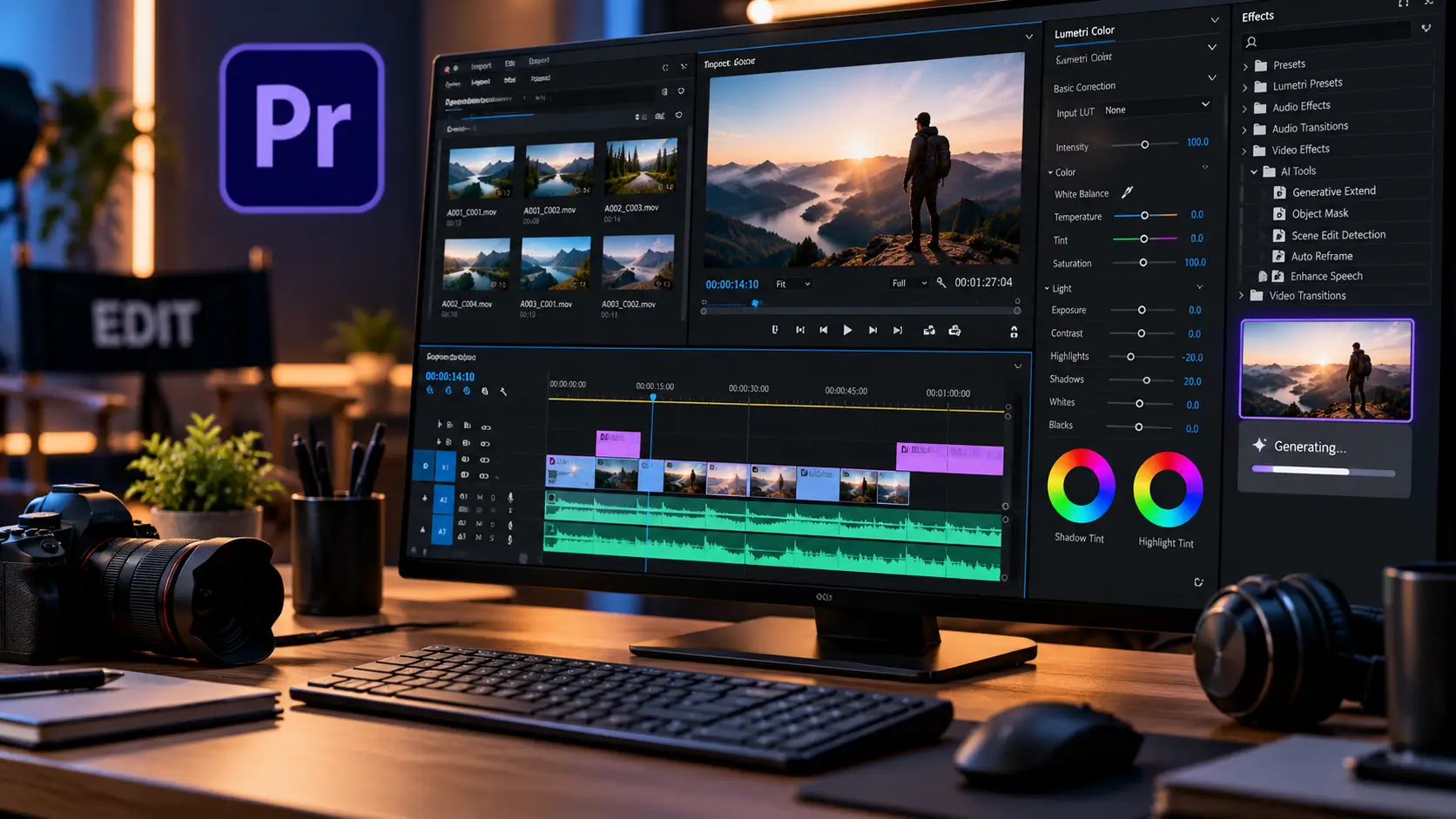
If you search for Adobe Premiere Pro today, you are actually looking for a product Adobe now officially calls Adobe Premiere.
The name changed as Adobe expanded Premiere beyond the traditional desktop application. The desktop editor remains the professional editing environment that long-time users know as Premiere Pro, but Adobe now presents Premiere as a broader family of desktop and mobile editing tools.
That change is more than branding.
During 2026, Adobe has added increasingly powerful AI-assisted features, including Media Intelligence, Object Mask, Generative Extend and, in the latest September release, the Generative Media Tool, which can generate video and sound effects directly inside the Premiere timeline.
The latest desktop release is Premiere 26.5, released in September 2026. It also introduces Paper Edit, expanded Sony FX5 support and improved ProRes RAW support.
Adobe has also launched Premiere on Android in September 2026, bringing multi-track editing, 4K export and selected Firefly-powered generative AI tools to Android users.
So what exactly does Adobe Premiere offer in 2026, how much does it cost in India, what computer do you need, and is it still relevant if you are a beginner?
Quick answer: What is Adobe Premiere Pro?
Adobe Premiere Pro is Adobe’s professional video-editing software, now officially branded simply as Adobe Premiere.
It is designed for editing:
- YouTube videos
- Short-form social videos
- Interviews
- Corporate films
- Documentaries
- Music videos
- Commercials
- Films
- Broadcast projects
- High-resolution camera footage
Premiere combines timeline editing, audio tools, colour correction, effects, graphics workflows and AI-assisted features.
It also integrates with other Adobe applications such as Photoshop, After Effects, Audition, Adobe Express and Frame.io.
The current desktop application is Premiere 26.5 as of September 2026.
Why is Premiere Pro now called Adobe Premiere?
This is one of the easiest things for users to misunderstand.
Adobe has changed the product name from Adobe Premiere Pro to Adobe Premiere.
The reason is that Adobe is building a family of Premiere experiences rather than treating the desktop application as an isolated product.
Adobe’s current product pages describe Premiere as including desktop and mobile experiences, while the desktop version continues to provide professional editing tools.
Therefore:
| Older terminology | Current Adobe terminology |
|---|---|
| Adobe Premiere Pro | Adobe Premiere |
| Premiere Pro desktop | Premiere desktop |
| Premiere Rush | Being discontinued |
| Premiere mobile | Premiere on iPhone and Android |
For search purposes, however, Adobe Premiere Pro remains an important term because many users still know and search for the software by its former name.
What’s new in Adobe Premiere 26.5?
The September 2026 release is significant because Adobe is pushing generative AI further into the actual editing workflow.
1. Generative Media Tool
The new Generative Media Tool allows users to generate video and sound effects directly from text prompts inside Premiere.
The generated media is inserted into the sequence as editable clips.
That distinction matters.
Instead of generating an asset in a separate application, downloading it and importing it into the project, Adobe is attempting to make generation part of the editing process itself.
For example, an editor could generate an appropriate sound effect or a short visual clip while working on a sequence.
Adobe says the generated media can continue to be refined within the timeline.
2. Paper Edit
Premiere 26.5 also introduces Paper Edit.
It allows editors to use a transcript to quickly construct a sequence.
For interview-heavy projects, this can change the initial editing workflow.
Instead of watching every clip repeatedly to identify usable statements, an editor can work from the transcript, select relevant lines and use them to assemble a sequence.
This does not eliminate editorial judgment.
It simply reduces some of the mechanical work involved in finding and assembling dialogue.
3. Sony FX5 support
The latest version adds expanded support for Sony FX5 footage.
Adobe says Premiere can work with Sony XAVC and XOCN media and 32-bit float high-resolution audio associated with supported workflows.
This is particularly relevant to professional creators working with modern cinema and hybrid camera systems.
4. Improved ProRes RAW support
Premiere 26.5 also includes improvements to ProRes RAW support.
For users working with compatible professional cameras and high-quality acquisition formats, codec support can matter more than a flashy interface feature.
Adobe Premiere’s major AI features
The most important change in Premiere is arguably not one individual feature.
It is the way AI is becoming part of normal editing operations.
Media Intelligence
Media Intelligence allows users to search footage using natural-language descriptions.
Adobe says the system can help locate footage based on visual content, sound effects, dialogue and other characteristics.
For a large project, this can potentially reduce the time spent manually searching through hundreds or thousands of clips.
Object Mask
Object Mask uses AI to identify and track subjects.
Instead of manually drawing and animating a mask frame by frame, an editor can use AI-assisted subject detection to speed up the process.
This can be useful for:
- isolating people
- applying effects selectively
- changing backgrounds
- colour adjustments
- compositing
- visual effects
Adobe describes Object Mask as a way to automate much of the masking and tracking process.
Generative Extend
Generative Extend uses Adobe Firefly technology to extend video clips and generate additional ambient sound.
A practical example would be a shot that ends slightly too early for a transition.
Instead of immediately searching for another shot, an editor can attempt to extend the existing footage.
Adobe says the feature can add frames and generate missing ambient sound.
However, it should be treated as an editing aid rather than a substitute for original footage.
Text-Based Editing
Premiere can automatically transcribe imported footage and allow editors to work with the transcript to create rough cuts.
For interviews, podcasts, news footage and talking-head videos, this can be particularly useful.
The underlying idea is simple:
edit the words first, then refine the video.
That can be much faster than navigating a long timeline manually when the project is primarily dialogue-driven.
Enhance Speech
Premiere also includes AI-assisted audio enhancement designed to improve dialogue clarity and reduce unwanted background noise.
This is especially relevant for creators recording in imperfect environments.
However, AI audio enhancement cannot reliably repair every badly recorded track. A good microphone, appropriate recording level and controlled recording environment still matter.
Adobe Premiere 26.5 feature overview
| Feature | What it does | Who benefits most |
|---|---|---|
| Generative Media Tool | Generates video and sound effects from prompts | Creators and editors |
| Paper Edit | Builds sequences from transcripts | Interview/video editors |
| Media Intelligence | Searches footage using natural language | Large projects |
| Object Mask | AI-assisted masking and tracking | VFX and creative editors |
| Generative Extend | Extends clips and generates ambient audio | Editors fixing timing gaps |
| Text-Based Editing | Creates rough cuts from transcripts | Interview creators |
| Enhance Speech | Improves dialogue clarity | YouTubers, podcasters |
| Sony FX5 support | Improves supported camera workflows | Professional shooters |
| ProRes RAW improvements | Better compatible RAW workflow | Professional editors |
The features above are based on Adobe’s current product and release documentation.
Adobe Premiere price in India
Adobe Premiere is subscription software.
For individual users in India, Adobe currently lists the Premiere single-app plan at:
₹389 per month including GST for the first year, under the annual plan billed monthly, for new subscribers.
Adobe lists the regular price as ₹733.96 per month including GST after the promotional first year.
Adobe also lists an annual prepaid Premiere offer at ₹3,890 for the first year, with a regular listed annual price of ₹8,425.20. Promotional terms can change.
Current India pricing snapshot
| Plan | Current listed price | Important detail |
|---|---|---|
| Premiere — individual | ₹389/month | First-year promotional price |
| Premiere — regular | ₹733.96/month | Annual billed monthly |
| Premiere annual prepaid | ₹3,890/year | First-year promotional price |
| Creative Cloud Pro | ₹1,199/month | First-year promotional price |
| Student/teacher Creative Cloud Pro | ₹398.99/month | Eligibility required |
| Premiere for teams | ₹3,352/month/licence | Excluding GST |
Adobe’s pricing pages contain different promotional offers depending on the billing method and eligibility, so buyers should check the current checkout price before subscribing.
What does Creative Cloud Pro add?
For users who also need Photoshop, After Effects, Illustrator, Audition and other Adobe applications, Creative Cloud Pro can be more relevant than buying Premiere alone.
Adobe currently lists Creative Cloud Pro at ₹1,199 per month including GST for the first year, under its annual billed-monthly individual offer, with the regular listed price of ₹2,714 per month.
The plan includes more than 20 Adobe applications.
That can matter for video editors because a professional workflow often involves more than the editing timeline.
For example:
Premiere → After Effects → Photoshop → Audition → Frame.io
can form part of one production workflow.
Does Adobe Premiere have a free version?
The desktop version is not a permanently free professional editor.
Adobe offers a 7-day free trial for Premiere.
There is an important difference between this and Adobe’s new mobile strategy.
Premiere on Android
Adobe launched Premiere on Android in September 2026 as a free mobile application.
Adobe says users can start editing without an Adobe account or login for basic workflows, while certain features such as generative AI and some assets require sign-in or generative credits.
The Android app supports:
- Multi-track editing
- Video trimming
- Music
- Voiceovers
- Effects
- Templates
- 4K export
- Enhance Audio
- Firefly-powered generative features
Adobe also says projects can move between mobile and desktop workflows for users with the relevant paid Premiere membership.
This is particularly significant for Indian creators because smartphones are often the primary recording and publishing devices for social-media content.
Premiere on Android vs Premiere desktop
These are not identical products.
| Area | Premiere Android | Premiere desktop |
|---|---|---|
| Basic editing | Yes | Yes |
| Multi-track timeline | Yes | Yes |
| 4K export | Yes | Yes |
| Professional timeline workflow | More limited | Full professional workflow |
| Advanced effects | More limited | Extensive |
| Large projects | Less suitable | Designed for professional projects |
| Generative AI | Selected features | Broad AI integration |
| Desktop ecosystem | Limited | Extensive Adobe ecosystem |
| Best use | Mobile/social creation | Professional editing |
Adobe is effectively positioning mobile Premiere as an accessible entry point and desktop Premiere as the deeper professional environment.
What happened to Premiere Rush?
Adobe is discontinuing Premiere Rush.
Adobe says Rush technical support ends on September 30, 2026, and the application is being replaced by Premiere on iPhone and Android alongside Premiere desktop.
That makes the 2026 Premiere transition easier to understand.
Adobe is moving from a separate lightweight Rush product toward a more unified Premiere ecosystem.
For existing Rush users, this is an important software transition rather than simply another app update.
Adobe Premiere system requirements in 2026
Premiere has demanding hardware requirements, particularly for 4K workflows.
Adobe’s current requirements page was updated on September 16, 2026 and applies to Premiere 26.x releases including 26.5.1.
Minimum requirements
For Windows, Adobe lists:
- Intel 6th-generation or newer CPU, or AMD Ryzen 1000 series or newer
- AVX2 support
- Windows 11 version 24H2
- 8GB RAM
- Compatible GPU with at least 4GB GPU memory
- 8GB available storage, plus additional installation space
- Fast additional storage recommended for media
Adobe’s Windows-on-Arm requirements include Qualcomm Snapdragon X-series processors.
Recommended requirements
Adobe recommends:
- Intel 11th-generation or newer CPU with Quick Sync, or AMD Ryzen 3000/Threadripper 3000 series or newer
- 16GB RAM for HD
- 32GB or more for 4K and higher
- Compatible GPU
- Fast internal SSD
- Additional high-speed storage for media
For Apple silicon Macs, Adobe recommends 16GB unified memory.
Minimum PC vs practical editing PC
This distinction is important.
A computer can technically meet Adobe’s minimum specification and still be frustrating for serious video editing.
For basic 1080p editing
A reasonable target is:
- Modern 6–8 core CPU
- 16GB RAM
- 4GB+ GPU memory
- SSD
- Separate storage for large media projects if possible
For serious 4K editing
A more comfortable target is:
- Modern Intel Core Ultra or AMD Ryzen processor
- 32GB RAM or more
- Modern dedicated GPU
- Fast NVMe SSD
- Additional SSD for footage/cache
- Good cooling
For professional high-resolution workflows
Consider:
- 64GB+ RAM where project complexity requires it
- High-end GPU
- Multiple fast SSDs
- High-performance CPU
- Fast network storage for collaborative workflows
The important lesson is that Adobe’s minimum specification is not the same thing as a comfortable professional editing system.
Does Premiere require an internet connection?
Adobe says an internet connection, Adobe ID and acceptance of the licence agreement are required to activate and use Premiere.
Some cloud-connected features also depend on online services.
Generative Extend, for example, requires an internet connection because it uses a cloud AI model.
This means editors should not assume that every part of the modern Premiere experience is completely offline.
Adobe Premiere vs DaVinci Resolve
The two applications approach professional post-production differently.
Adobe Premiere is deeply integrated with the Adobe ecosystem.
DaVinci Resolve combines editing, colour, visual effects, motion graphics and audio post-production inside one application. Blackmagic currently lists DaVinci Resolve 21 with a free version and DaVinci Resolve Studio 21 at ₹31,980 in India.
| Area | Adobe Premiere | DaVinci Resolve |
|---|---|---|
| Editing | Professional timeline workflow | Professional timeline workflow |
| Colour | Strong integrated tools | Dedicated colour workflow |
| VFX | Strong through Adobe ecosystem/After Effects | Fusion integrated |
| Audio | Premiere + Audition workflow | Fairlight integrated |
| AI | Adobe Firefly and Premiere AI tools | DaVinci AI Neural Engine |
| Adobe integration | Extensive | Limited |
| Free version | Desktop trial rather than full permanent free version | Yes |
| Payment model | Subscription | Free version + Studio purchase |
| Best ecosystem fit | Adobe users | All-in-one post-production users |
Blackmagic says the free version of Resolve supports editing up to Ultra HD 3840×2160 at up to 60fps for supported formats, while Studio adds advanced features including additional AI tools, effects and higher-end format support.
The comparison therefore isn’t simply about which application has more features.
It is about workflow, software ecosystem, payment model and the type of post-production work you do.
Who should use Adobe Premiere?
Premiere makes particular sense for people who need a professional editing workflow and may already use other Adobe applications.
YouTube creators
Premiere supports everything from simple talking-head videos to multi-camera productions and complex long-form edits.
Freelance video editors
Its professional workflow and integration with Adobe applications can be useful when working with different clients and production requirements.
Agencies
Agencies often need Photoshop, Illustrator, After Effects, Premiere and other tools within the same production environment.
Filmmakers
Premiere supports professional camera formats and advanced editing workflows.
Social-media creators
The newer mobile and AI features make Premiere increasingly relevant to short-form content creators as well.
Who may not need Premiere?
Premiere may be more software than necessary if your needs are limited to:
- Basic trimming
- Simple Instagram videos
- Simple reels
- Basic family videos
- Casual smartphone editing
- Occasional short clips
For those workflows, a simpler mobile editor may be enough.
The key question isn’t whether Premiere has the features.
It is whether you need those features often enough to justify learning and paying for the professional workflow.
Adobe Premiere for beginners
Premiere can be intimidating because it exposes professional editing concepts that simpler mobile editors hide.
A beginner should not attempt to learn everything at once.
A practical learning sequence is:
Step 1: Learn the timeline
Understand:
- Video tracks
- Audio tracks
- Clips
- Playhead
- Sequence
- Trimming
Step 2: Learn basic editing
Practice:
- Cut
- Ripple delete
- Trim
- Move clips
- Add transitions
- Adjust audio
Step 3: Learn audio
Understand:
- Dialogue levels
- Music levels
- Noise
- Audio meters
- Basic EQ
- Enhance Speech
Step 4: Learn colour
Start with:
- Exposure
- White balance
- Contrast
- Saturation
- Skin tones
Step 5: Learn text and graphics
Create:
- Titles
- Captions
- Lower thirds
- Simple animations
Step 6: Learn AI features
Only after understanding the basic workflow should you add tools such as:
- Text-Based Editing
- Media Intelligence
- Object Mask
- Generative Extend
- Generative Media
AI is most useful when the editor understands what the result should actually look like.
What makes Premiere different in 2026?
The biggest change is the shift from:
editing software + separate AI tools
toward:
editing software with AI integrated into the workflow.
That distinction is important.
Adobe is not simply adding a chatbot to Premiere.
It is integrating AI into specific editing tasks:
- finding footage
- masking objects
- transcribing dialogue
- assembling rough cuts
- improving speech
- extending clips
- generating media
- generating sound effects
That could save time, particularly on repetitive editorial tasks.
But the creative decisions remain human.
AI can help find, generate or manipulate material.
It cannot determine what the final story should mean to the audience.
What Indian creators should know
For Indian users, three changes are particularly relevant.
1. India-specific pricing is clearly published
Adobe provides India pricing in INR and includes GST on individual plans.
2. Premiere is now available on Android
Adobe launched Premiere on Android in September 2026, making the mobile workflow directly relevant to Indian smartphone creators.
3. Indic-language support matters
Adobe’s technical documentation says Premiere supports text composition in Indic scripts through its South Asian and Middle Eastern text engines.
For creators producing Hindi or other Indian-language content, this is an important practical consideration.
What Adobe Premiere is becoming
The product is moving toward a broader ecosystem.
The traditional model was:
Camera → Premiere Pro → finished video
The modern Adobe workflow can look more like:
Phone/Camera → Premiere mobile → Premiere desktop → Firefly → Photoshop/After Effects/Audition → Frame.io → final delivery
That is a more ambitious proposition.
The question for users is therefore no longer simply:
“Is Premiere a good video editor?”
The more useful question is:
“Does Adobe’s entire video-production ecosystem fit the way I create?”
For someone already using Photoshop and After Effects, the answer may be very different from someone who only needs a simple mobile editor.
Frequently Asked Questions
Is Adobe Premiere Pro still available?
Yes. The product continues to exist as the professional desktop Premiere application, but Adobe now officially calls it Adobe Premiere rather than Adobe Premiere Pro.
What is the latest version of Adobe Premiere?
The latest desktop release is Premiere 26.5, released in September 2026. Adobe also released version 26.5.1 with a fix related to transparency around Generative Media Tool generation and credit usage.
How much does Adobe Premiere cost in India?
Adobe currently lists the individual Premiere plan at ₹389 per month including GST for the first year when billed annually on a monthly basis. The listed regular price is ₹733.96 per month. Promotional terms can change.
Is Adobe Premiere free?
The desktop application offers a 7-day free trial rather than a permanently free professional desktop version. Premiere on Android is available as a free mobile application, although some generative AI features require Firefly generative credits.
Can Adobe Premiere run on 8GB RAM?
Yes, 8GB RAM is listed as a minimum requirement for supported Windows configurations. However, Adobe recommends 16GB for HD work and 32GB or more for 4K and higher-resolution workflows.
Does Adobe Premiere work on Android?
Yes. Adobe launched Premiere on Android in September 2026. The app supports multi-track editing, 4K export and selected AI-powered features.
What happened to Adobe Premiere Rush?
Adobe is discontinuing Premiere Rush. Technical support ends September 30, 2026, and Adobe is directing users toward Premiere on mobile and desktop.
Is Adobe Premiere better than DaVinci Resolve?
There is no single answer that applies to every editor. Premiere is particularly integrated with Adobe’s creative ecosystem, while DaVinci Resolve combines editing, colour, VFX, motion graphics and audio within one application and has a free version. The appropriate choice depends on the user’s workflow, budget and production requirements.
Bottom line
Adobe Premiere Pro remains one of the major professional video-editing applications, but in 2026 it is officially becoming Adobe Premiere.
The latest desktop version, Premiere 26.5, adds the Generative Media Tool, Paper Edit, expanded Sony FX5 support and improved ProRes RAW support.
The larger change is Adobe’s integration of AI into everyday editing tasks. Media Intelligence, Object Mask, Text-Based Editing, Generative Extend and Enhance Speech are increasingly turning AI from an optional experiment into part of the editing workflow.
At the same time, Adobe is expanding Premiere beyond the desktop. The September 2026 Android launch gives smartphone creators a free entry point into the Premiere ecosystem, while Premiere Rush is being retired.
For Indian users, the most important practical considerations are therefore pricing, hardware requirements, mobile availability, AI-credit usage and whether the Adobe ecosystem fits your workflow.
If you only need simple social-media editing, Premiere may offer more complexity than you need. If you work across professional video, Photoshop, After Effects, audio, graphics and collaborative review, its broader ecosystem becomes much more relevant.
The software is changing quickly, so the version number, pricing and AI feature availability should be checked against Adobe’s current documentation before a purchase.


[…] Adobe’s current Photoshop documentation continues to support keyboard shortcuts across tools, menus and panels, and users can view or customize them through Edit > Keyboard Shortcuts. On Windows, the shortcut for opening the Keyboard Shortcuts dialog is Alt + Shift + Ctrl + K; on macOS, it is Option + Shift + Command + K. […]