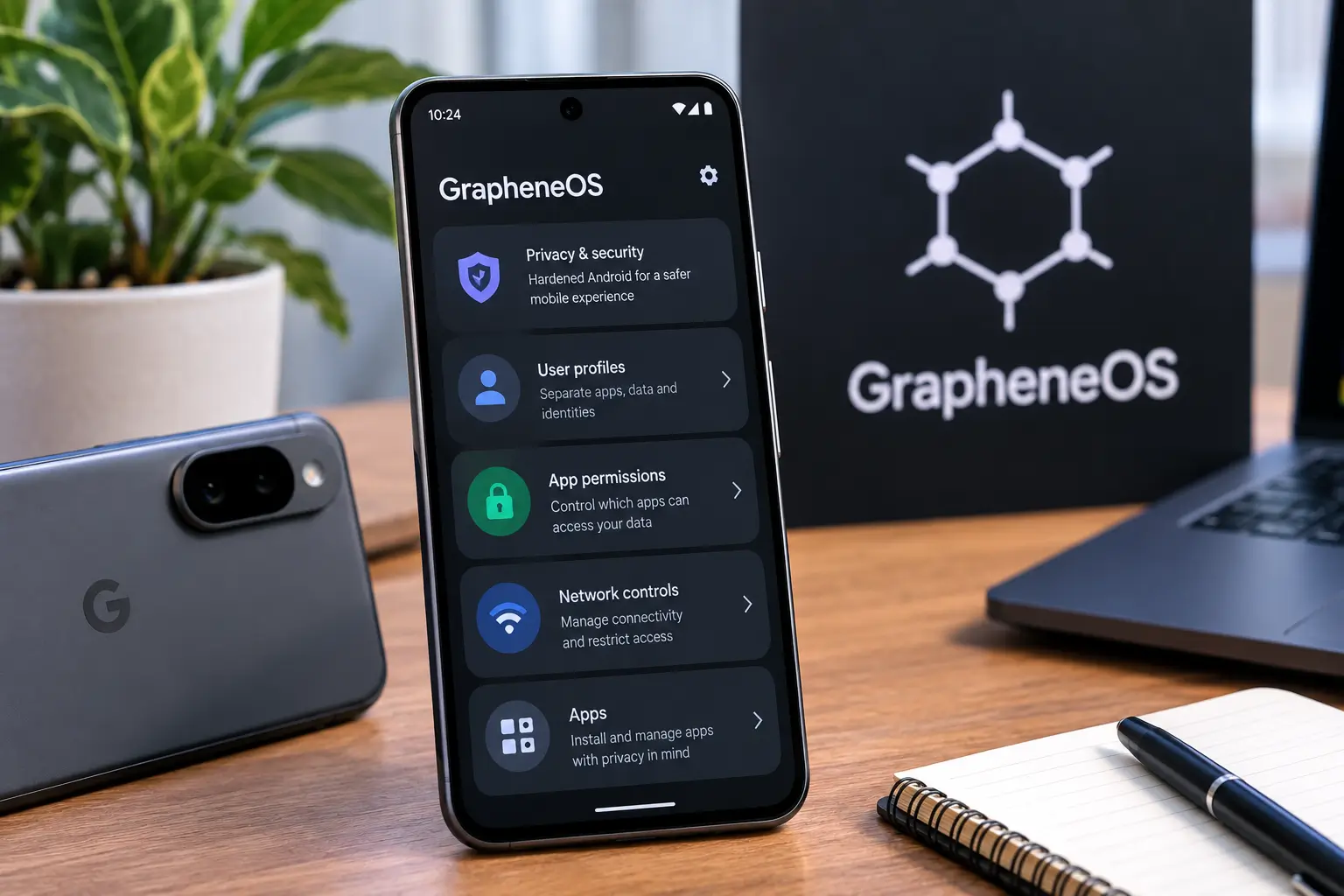
If you have heard about GrapheneOS, the simplest description is that it is a privacy- and security-focused mobile operating system based on the Android Open Source Project (AOSP). But calling it merely a “Google-free version of Android” misses the more important part.
GrapheneOS changes how Android handles application privileges, permissions, networking, profiles, hardware security and Google services. At the same time, it remains capable of running many ordinary Android applications, including the official Google Play components through its sandboxed Google Play compatibility layer.
As of September 2026, official GrapheneOS production support is concentrated on Google Pixel devices, including the Pixel 10 family and several previous generations. The project also continues to release monthly updates and security improvements.
For someone in India considering GrapheneOS, however, the biggest question is not simply whether it is private. The practical question is whether its privacy and security model fits the apps and services you actually use.
What is GrapheneOS?
GrapheneOS is an open-source mobile operating system based on the Android Open Source Project.
It is designed around two closely related goals:
- improving mobile security
- giving users stronger privacy controls
Unlike conventional Android distributions that ship with Google applications and services integrated into the operating system, GrapheneOS does not include Google Play services or Google applications by default.
That does not mean Google services are completely unavailable.
GrapheneOS provides a sandboxed Google Play compatibility layer that allows users to install official Google Play components as ordinary applications. This is one of the most important differences between GrapheneOS and many other privacy-oriented Android projects.
The result is a somewhat unusual combination: a phone can run Google-dependent applications while keeping Google Play in the normal Android application sandbox rather than granting it the privileged position it has on conventional Android.
Is GrapheneOS just Android without Google?
No.
Removing Google applications is only one part of the difference.
GrapheneOS makes numerous changes to the underlying Android platform, including additional hardening and privacy controls.
Examples include:
- per-app network controls
- additional permission controls
- hardware-backed security improvements
- exploit mitigation
- hardened memory allocation
- stronger restrictions around USB connections
- additional controls for sensors
- improved profile isolation
- privacy-oriented default settings
- a hardened Chromium-based browser called Vanadium
- hardware-based device verification through Auditor
This distinction matters because privacy is not simply about whether an application belongs to Google.
An application from another company can also collect information, communicate over the network, access sensors or interact with other applications.
GrapheneOS therefore tries to reduce what applications can do and what they can access, rather than relying solely on removing a particular company’s software.
How does GrapheneOS differ from normal Pixel Android?
The hardware remains a Google Pixel, but the software environment is different.
A conventional Pixel running Google’s Android software comes with Google’s services deeply integrated into the Android experience.
GrapheneOS takes a different approach.
| Area | Standard Pixel Android | GrapheneOS |
|---|---|---|
| Android foundation | Android | Android/AOSP-based |
| Google Play | Integrated | Optional |
| Google Play privileges | Highly integrated system component | Sandboxed when installed |
| Privacy controls | Android’s standard controls | Additional GrapheneOS controls |
| App network control | Standard Android model | Network permission control |
| Google apps | Included | Not included by default |
| Supported hardware | Broad Pixel support | Specific supported devices |
| User profiles | Available | Expanded privacy/security use cases |
| Browser | Chrome | Vanadium included |
| Security hardening | Google’s Android security | Additional GrapheneOS hardening |
The table should not be interpreted as meaning that stock Pixel Android is insecure. Google’s Android platform already has a substantial security architecture.
The difference is that GrapheneOS adds another layer of hardening and gives the user more control over privacy-related behavior.
The most important feature: Sandboxed Google Play
This is where many GrapheneOS explanations become confusing.
GrapheneOS does not bundle Google Play services into the operating system.
Instead, users can install:
- Google Play Services
- Google Play Store
- Google Services Framework
through the GrapheneOS Apps interface.
These components operate within the normal Android application sandbox.
That means Google Play does not automatically receive the privileged access that it normally has as an integrated part of Android.
GrapheneOS also allows Google Play to be installed within particular user or work profiles.
For example, someone could create a profile specifically for applications that depend heavily on Google services.
This gives users another way of separating applications and data.
Does installing Google Play defeat GrapheneOS’s purpose?
Not necessarily.
This is one of the most important misconceptions about the operating system.
The point is not that Google software can never exist on the phone.
The point is that Google software can operate under a more restricted application model.
GrapheneOS therefore offers a middle ground between:
“I want absolutely no Google services.”
and
“I want Google’s normal Android ecosystem with no additional privacy controls.”
Users can choose where they want to sit between those extremes.
What privacy features does GrapheneOS provide?
GrapheneOS contains a large collection of privacy and security controls.
Network permission
One notable feature is a dedicated Network permission.
It allows users to prevent an application from accessing available networks.
This is different from merely turning off background data for an application.
The control is integrated into the operating system’s permission model.
For users who install applications that do not need internet connectivity, this can provide a useful additional restriction.
Sensors permission
GrapheneOS also provides additional control over sensors.
This matters because applications can potentially obtain information from device sensors that users may not expect them to need.
Restricting access can reduce unnecessary exposure.
Storage Scopes
Storage Scopes can provide applications with controlled access to storage rather than giving them broad access to shared files.
This is another example of GrapheneOS’s general approach:
Give an application what it needs, rather than automatically giving it everything it could potentially use.
Contact Scopes
Contact Scopes provide another privacy control for applications that request contact access.
Instead of automatically exposing an entire address book, the user can provide controlled access.
User profiles
GrapheneOS makes extensive use of Android’s user-profile architecture.
Different profiles can have separate applications, data and configurations.
This can be useful for separating:
- personal applications
- work applications
- Google-dependent applications
- testing applications
- less-trusted applications
A profile can also be ended, putting the profile’s applications into an inactive state.
Why is GrapheneOS officially limited to Pixel phones?
This is one of the biggest practical limitations.
GrapheneOS is not designed to run officially on every Android phone.
Its supported hardware is selected partly because the project requires particular hardware and firmware security capabilities.
As of September 2026, the official production-supported list includes Pixel 6-series devices through Pixel 10-series devices, along with the Pixel Fold and Pixel Tablet.
The currently listed production devices include:
- Pixel 10a
- Pixel 10
- Pixel 10 Pro
- Pixel 10 Pro XL
- Pixel 10 Pro Fold
- Pixel 9a
- Pixel 9
- Pixel 9 Pro
- Pixel 9 Pro XL
- Pixel 9 Pro Fold
- Pixel 8a
- Pixel 8
- Pixel 8 Pro
- Pixel Fold
- Pixel Tablet
- Pixel 7a
- Pixel 7
- Pixel 7 Pro
- Pixel 6a
- Pixel 6
- Pixel 6 Pro
The official release channel currently lists September 2026 builds for supported devices.
This means that buying a Pixel is effectively part of the GrapheneOS decision.
You cannot simply install the operating system on an arbitrary Samsung, Xiaomi, OnePlus or Motorola phone and expect official support.
What about the Pixel 10 series?
The Pixel 10 generation is particularly relevant because GrapheneOS moved its 10th-generation Pixel support out of the experimental stage in January 2026.
That makes the Pixel 10 family an important current generation for someone considering a new GrapheneOS phone.
However, the fact that a phone is new does not automatically mean it should be selected for GrapheneOS.
The most important factors are:
- Whether the device is officially supported.
- Whether it continues to receive firmware updates.
- Whether the applications you depend on work.
- Whether the device is available at a reasonable price in your market.
- Whether the limitations of GrapheneOS are acceptable for your daily use.
Can you install GrapheneOS yourself?
Yes.
GrapheneOS officially supports two installation approaches:
- WebUSB-based installation
- command-line installation
The project recommends the web-based installer for most users.
The process involves unlocking the bootloader, installing the operating system and then re-locking the bootloader.
That last point is important.
Installing an alternative operating system is not the same thing as leaving the bootloader permanently unlocked.
A properly completed GrapheneOS installation uses the device’s security mechanisms to provide verified boot.
Is installation suitable for beginners?
The web installer has made the process considerably more accessible than traditional custom-ROM installation.
Nevertheless, users should not treat it like installing an ordinary Android application.
Before installing GrapheneOS, back up your important information.
The installation process involves wiping the device.
You should also verify that your critical applications work before making GrapheneOS your primary phone.
Do Android apps work on GrapheneOS?
Generally, Android applications can run on GrapheneOS.
The biggest compatibility question is not whether an application is technically an Android app.
It is whether the application depends on:
- Google Play services
- Google certification
- Play Integrity
- Google-specific APIs
- device certification
- proprietary DRM
- other assumptions about the standard Android environment
GrapheneOS’s sandboxed Google Play layer provides broad compatibility with applications that depend on Google services.
However, broad compatibility is not the same as universal compatibility.
Some applications can deliberately restrict their functionality on alternative operating systems.
That distinction becomes particularly important for financial applications.
Do banking apps work on GrapheneOS?
This is one of the most important questions for Indian users.
The answer is:
Some do, some may have limitations, and compatibility can change.
A banking application may work perfectly on one version and later introduce a requirement that causes problems.
The reason is often related to the application’s use of Google’s integrity or certification mechanisms.
Installing sandboxed Google Play does not guarantee that every banking application will accept the device.
Therefore, before switching your primary phone to GrapheneOS, check the exact banking applications you use.
This is especially important if your phone is essential for:
- mobile banking
- UPI
- credit-card authentication
- transaction approvals
- investment applications
- workplace authentication
Do not assume that because one bank’s application works, every other bank’s application will work.
What about UPI in India?
UPI is a particularly important consideration.
India’s payment ecosystem is heavily app-based, so compatibility matters more here than it might for a user who mainly uses a phone for messaging and browsing.
The practical question is not simply:
“Does GrapheneOS support UPI?”
Instead ask:
“Does the specific UPI application and payment workflow I depend on work on my particular GrapheneOS setup?”
Applications can change their security requirements independently of the operating system.
If mobile payments are critical to you, test your actual payment applications before moving your primary phone.
Does Google Pay work on GrapheneOS?
This requires an important distinction.
Google services can be installed through GrapheneOS’s sandboxed Google Play implementation.
However, Google Pay/Google Wallet NFC contactless card payments are a separate issue.
GrapheneOS does not provide the Google-certified Android environment required for Google’s NFC contactless payment functionality.
Consequently, users should not buy a Pixel specifically for GrapheneOS while assuming that Google Wallet tap-to-pay will work exactly as it does on standard Pixel Android.
Other payment solutions may work depending on country, bank, application and payment method.
For Indian users, this makes it especially important to distinguish:
- UPI payments
- bank-app payments
- Google Pay
- Google Wallet
- NFC card payments
- QR-code payments
These are not all the same technical function.
Can you use YouTube, Gmail and other Google apps?
Yes, if you install the relevant applications.
GrapheneOS does not prevent you from using Google applications.
The difference is that they are optional.
You could install:
- Gmail
- YouTube
- Google Maps
- Google Photos
- Google Drive
- Google Chrome
- Google Play Store
where supported and useful.
The privacy model therefore depends partly on how you configure the device.
A user who installs Google’s entire ecosystem and gives applications broad permissions will have a different privacy profile from a user who installs only a few Google-dependent applications.
GrapheneOS does not magically make every app private
This point is worth emphasizing.
Installing GrapheneOS does not transform an application into a privacy-friendly application.
If an application collects extensive information from its own servers, GrapheneOS cannot prevent every form of collection.
What GrapheneOS can do is give the operating system stronger mechanisms for restricting application access to device resources.
Think of the distinction this way:
Application privacy concerns what an application and its backend collect.
Operating-system privacy concerns what the operating system allows applications to access.
GrapheneOS primarily strengthens the second layer while providing tools that can help users manage the first.
What security improvements does GrapheneOS add?
Security is broader than privacy.
GrapheneOS focuses heavily on reducing attack surfaces and making exploitation more difficult.
Its security work includes areas such as:
- memory-safety improvements
- hardened memory allocation
- exploit mitigations
- stricter application isolation
- improved permission controls
- hardware-backed security
- USB restrictions
- secure defaults
- additional device hardening
The project also reports vulnerabilities it finds in Android and Pixel-related components upstream.
This is important because GrapheneOS is not merely a collection of privacy settings placed on top of Android.
It makes changes at the operating-system level.
What are the disadvantages of GrapheneOS?
GrapheneOS has real trade-offs.
1. Pixel hardware is required
The official hardware ecosystem is narrow.
If you prefer Samsung, OnePlus, Xiaomi or another manufacturer, GrapheneOS is not currently a general-purpose option.
2. Some applications may fail compatibility checks
Applications that require specific Google certification or integrity signals may refuse to work.
This can be particularly inconvenient for financial and enterprise applications.
3. Google Wallet contactless payments are a major limitation
Users who depend on Google’s NFC payment system need to account for this before switching.
4. Some setup requires more knowledge
Although the web installer is relatively approachable, GrapheneOS provides more controls than ordinary Android.
More control can also mean more decisions.
5. Troubleshooting can be application-specific
When an application fails, the reason may not be obvious.
It could be:
- missing Play services
- incorrect permissions
- profile separation
- an application-side compatibility check
- Play Integrity requirements
- an application bug
- a GrapheneOS compatibility issue
6. Some Google ecosystem conveniences are reduced
People who want everything to work exactly as it does on a conventional Pixel may find the experience different.
GrapheneOS vs standard Pixel Android: what actually changes?
The simplest way to understand the difference is through control.
On standard Pixel Android, Google’s ecosystem is deeply integrated into the platform.
On GrapheneOS, the user can decide whether Google Play is installed and where it is installed.
The user can also apply additional restrictions to applications.
This creates a different relationship between the operating system, applications and Google services.
It is not simply:
Google = bad, GrapheneOS = good.
A more useful description is:
Standard Pixel Android prioritizes a highly integrated Google ecosystem, while GrapheneOS gives users more control over privileges, permissions and the presence of Google services.
That is a more accurate way to understand the choice.
Who is GrapheneOS most suitable for?
GrapheneOS is particularly relevant to people who:
- care strongly about mobile privacy
- want stronger application controls
- understand Android permissions
- are comfortable configuring profiles
- want to minimize privileged Google integration
- still need access to many Android applications
- use a supported Pixel
- are willing to verify application compatibility
It can also be interesting to technically knowledgeable users who want greater control over their mobile environment.
Who should think carefully before switching?
You should investigate compatibility first if you rely heavily on:
- Google Wallet NFC payments
- a specific banking application
- a corporate authentication application
- proprietary enterprise software
- DRM-dependent services
- specialized Android applications
- smartwatch features dependent on particular Google components
The more dependent your daily life is on a fixed collection of applications, the more important compatibility testing becomes.
A practical GrapheneOS checklist for Indian users
Before replacing your normal Android installation, make a list of the applications you actually use.
Banking
Check:
- your primary bank app
- secondary bank apps
- credit-card apps
- investment apps
- loan/finance apps
Payments
Check:
- UPI applications
- QR payment workflows
- Google Pay
- bank-based payment functionality
- NFC/contactless payment requirements
Work
Check:
- Microsoft or Google workplace applications
- authentication apps
- VPN applications
- device-management applications
- enterprise security tools
Entertainment
Check:
- streaming services
- DRM-dependent applications
- games
- subscription applications
Hardware
Check:
- smartwatch
- Bluetooth accessories
- Android Auto
- wearables
- car connectivity
If one application is essential and refuses to work, the theoretical privacy benefits may not compensate for the practical problem in your particular situation.
GrapheneOS in 2026: what has changed?
GrapheneOS is no longer an obscure experiment limited to older Pixel devices.
The project currently has production support extending through Google’s Pixel 10 generation and continues to receive regular updates.
The project also moved to Android 17 during 2026, while continuing to backport security and compatibility fixes to supported devices.
Recent releases have included changes involving Android 17, sandboxed Google Play compatibility, kernel updates, USB security, clipboard controls, Android Auto compatibility and other platform components.
This illustrates something important about alternative operating systems:
The project is continuously evolving.
A compatibility statement found online from several years ago should not automatically be treated as current.
The same applies to banking applications and payment services.
Is GrapheneOS completely anonymous?
No.
GrapheneOS should not be described as an anonymity operating system.
Your mobile carrier can still know information associated with your cellular connection.
Websites can still identify users through accounts, cookies and other mechanisms.
Applications can still communicate with their own servers.
If you log into Google, Meta, Microsoft or another online account, the service can associate activity with that account.
GrapheneOS is better understood as a privacy and security hardening project, not a magic anonymity layer.
Is GrapheneOS safe?
GrapheneOS is designed specifically around security and privacy hardening, and its official builds are maintained for supported hardware.
But “safe” should not be interpreted as “risk-free.”
No operating system can eliminate:
- phishing
- malicious websites
- compromised accounts
- unsafe applications
- social engineering
- poor passwords
- stolen devices
- vulnerabilities that have not yet been discovered
The security benefit comes from reducing attack surface and strengthening the platform, not from making every form of cyber risk disappear.
Bottom line: what is GrapheneOS really?
GrapheneOS is best understood as a security- and privacy-focused Android operating system that gives users substantially more control over application privileges and Google services while retaining compatibility with much of the Android ecosystem.
Its most important feature is not simply the absence of Google applications.
The bigger difference is the operating-system architecture around them.
Google Play can be installed as sandboxed applications. Applications can receive more granular controls over network access, sensors and data. Multiple profiles can separate applications and information. The operating system itself contains additional security hardening.
But those benefits come with practical trade-offs.
The Pixel requirement narrows hardware choice. Some applications may not work correctly. Google Wallet’s NFC contactless payment functionality remains a major limitation. Banking and payment compatibility can vary.
For Indian users, therefore, the sensible way to evaluate GrapheneOS is not to ask whether it is “better” than Android in the abstract.
Ask a more useful question:
Does GrapheneOS provide the privacy and security controls you want while still supporting the applications, payments, banking services and hardware you depend on every day?
That is the real decision.
Frequently Asked Questions
Is GrapheneOS an Android operating system?
Yes. GrapheneOS is based on the Android Open Source Project and adds substantial privacy and security hardening.
Does GrapheneOS have Google Play?
Google Play is not included by default, but official Google Play components can be installed through GrapheneOS’s sandboxed Google Play compatibility layer.
Can GrapheneOS run Android apps?
Yes. GrapheneOS supports Android applications, although individual applications can have compatibility problems if they depend on Google certification, Play Integrity or other proprietary requirements.
Does Google Pay work on GrapheneOS?
Google services can be installed, but Google Wallet’s NFC contactless card-payment functionality is not supported in the same way as on a Google-certified stock Android installation.
Which phones support GrapheneOS?
Official production support is focused on selected Google Pixel devices. As of September 2026, the supported lineup extends from Pixel 6-series devices through Pixel 10-series devices, plus the Pixel Fold and Pixel Tablet.
Can I use banking apps on GrapheneOS?
Many banking applications can work, but compatibility is application-specific. Some may impose Google certification or Play Integrity requirements. Check your particular banking applications before switching.
Is GrapheneOS completely private?
No operating system can guarantee complete privacy. GrapheneOS provides stronger privacy controls and security hardening, but applications, websites, accounts and network providers can still collect information.
Is GrapheneOS free?
The operating system is available as an open-source project and can be installed using its official installation methods. The cost of using it as your phone’s operating system is therefore separate from the cost of buying compatible Pixel hardware.